Darshan Tech Solution
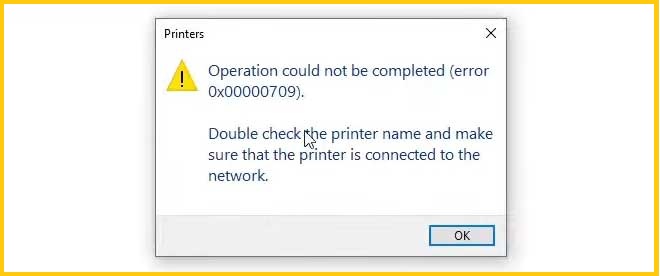
Operaion Could not be Completed (Error Code 0x00000709).Double Check the Printer Name Printer Error
YouTube Video
Solution for Operaion Could not be Completed (Error Code 0x00000709).Double Check the Printer Name Printer Error
While you select default printer it shows the above error message. With this error you can't print excel files also. Don't worry follow the simple steps to clear the error
1. Open Run Command (Win Key + R )
2. Type regedit
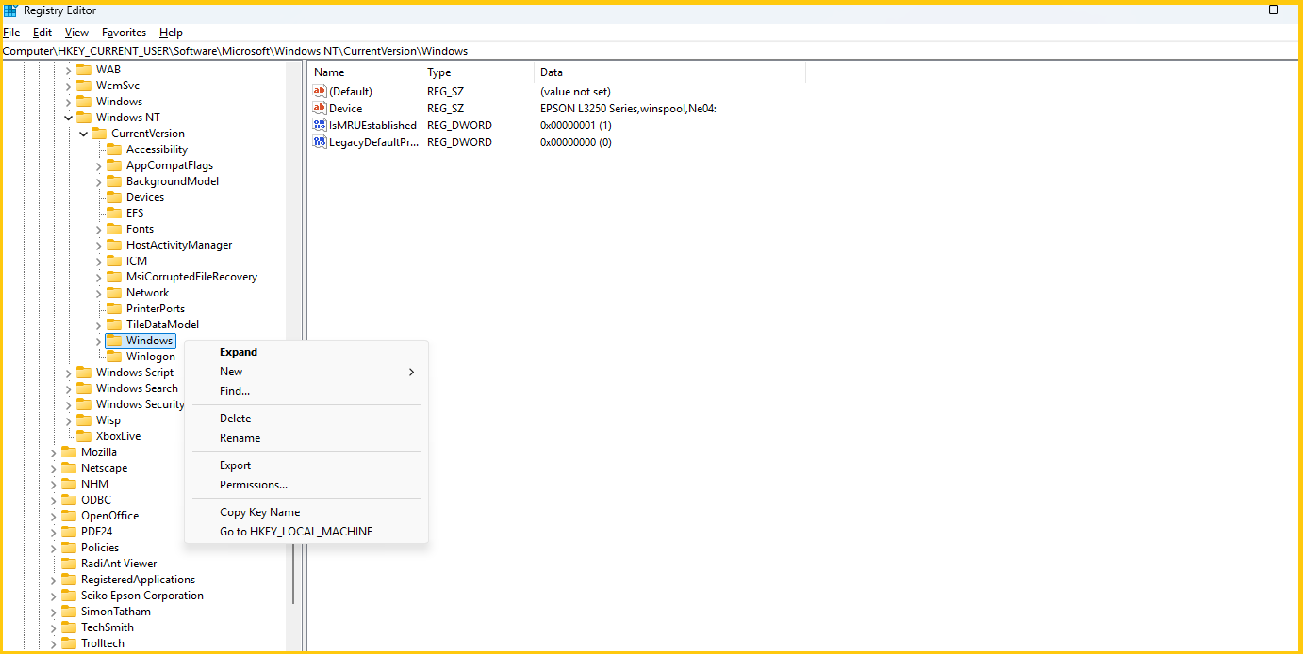
3. Expand the path
\HKEY_CURRENT_USER\Software\Microsoft\Windows NT\CurrentVersion\
- Right Click on Windows
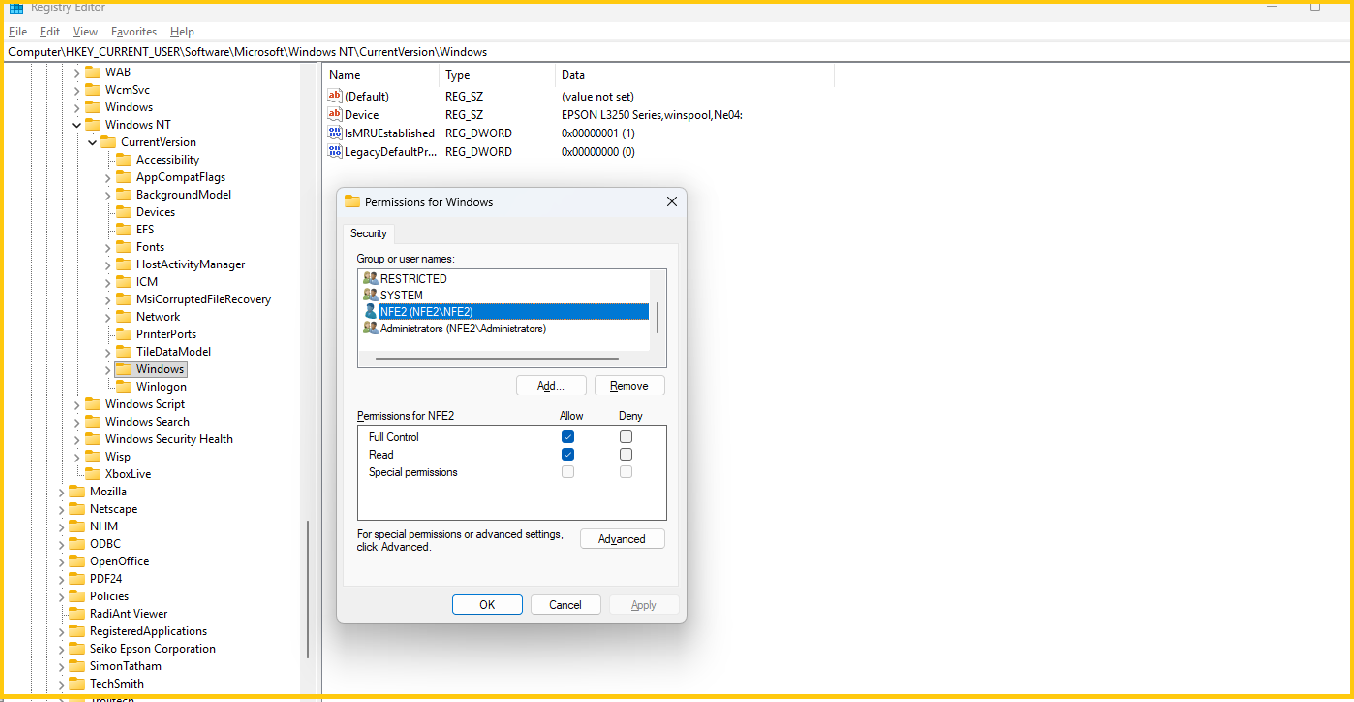
- And then Permission
- Allow Full Permission to the User
- Thats All
Watch on You Tube
Restrat the Computer. After restart the printer error will be solved
Follow on my Social Media


